01
Search your whole library.
Search filenames, folder paths and tags across every connected SFX folder, with pages built for large libraries.
Fast browserTeam AA SFX is a fast, searchable sound effects browser for Adobe Premiere Pro and After Effects. Preview, tag, favorite and drag the right sound straight into your edit.
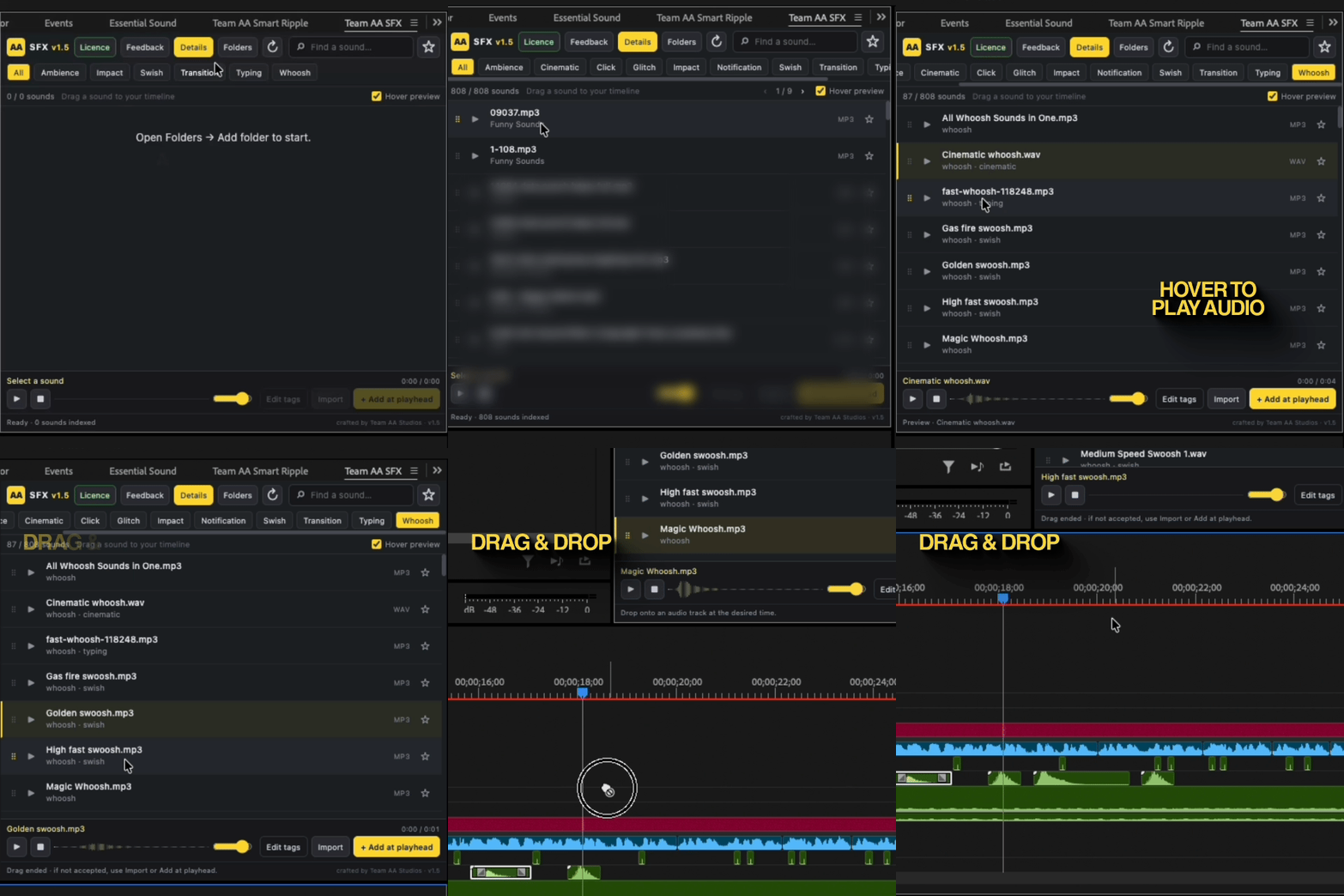
Keep your library close to the timeline and spend less time digging through folders for the sound you already know is there.
Search filenames, folder paths and tags across every connected SFX folder, with pages built for large libraries.
Fast browserHover to preview, click to play, scrub the waveform and save favorites without leaving your Adobe panel.
Preview + favoritesDrag the original sound from its filename or dotted handle into Premiere Pro or After Effects, or add it at the playhead.
Native placementTeam AA SFX keeps the sound decision inside the creative moment: find a texture, hear it in context, and put the original file exactly where the edit needs it.
Connect as many local folders as you need. Your files stay on your Mac.
Filter by filename, path or tags, then hover or click to hear the right texture.
Keep the sounds you reach for most close at hand and preserve your library organization.
Drag into the Adobe timeline, import to the project, or add at the playhead in one click.
“Find the sound.
Keep the feeling.”
Download the Mac first build, install it in a few minutes, and try the full panel free for one month. After the trial, Team AA SFX is $3 for continued access.
No. Team AA SFX is an independent plugin made by Team AA Studios for Adobe Premiere Pro and After Effects. Adobe, Premiere Pro and After Effects are trademarks of Adobe.
Extract the ZIP, close Adobe apps and run Install-Mac.command. It copies the panel to your per-user CEP extensions folder, backs up an existing version, and enables the required unsigned-panel preference for your account.
Nowhere. Your files stay on your Mac and are never uploaded. The panel stores only your folder, tag, favorite and preview preferences in your local Team AA SFX application support folder.